Sensor Region (ROI)
Set where the sensor scans for events with APS, then select which part of the scanned data to output with Crop. Both settings are needed for an efficient ROI.
Select a region
- Stop acquisition and recording. Region controls are available only while the sensor is stopped.
- In DVS Viewer, open Sensor Settings → Sensor region (ROI) using the chevron beside the current size. The panel is collapsed by default.
- Drag inside the selection to move it, or drag an edge or corner to resize it. Alternatively, enter X1, Y1, X2, Y2 directly.
- Finish the edit, then start acquisition again. Folding the panel keeps the applied region; it does not reset it.
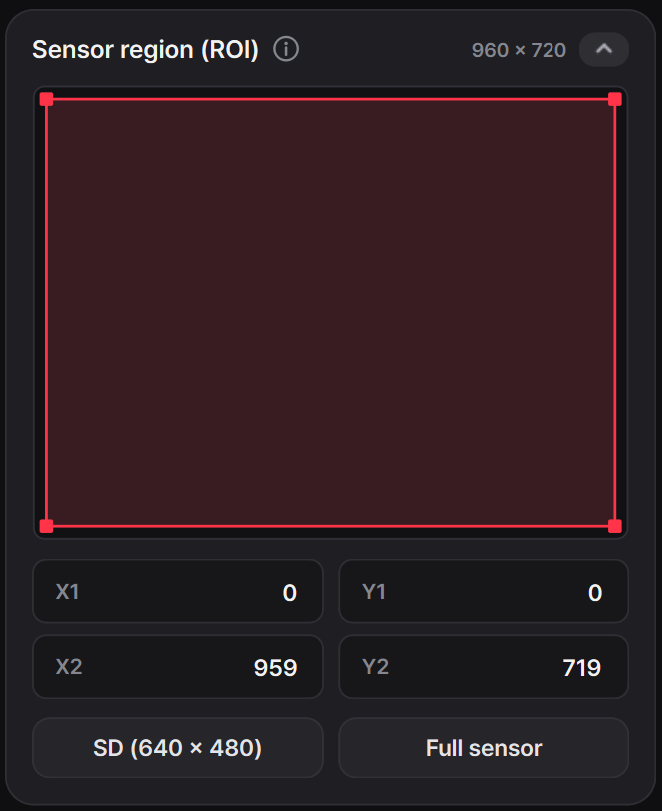
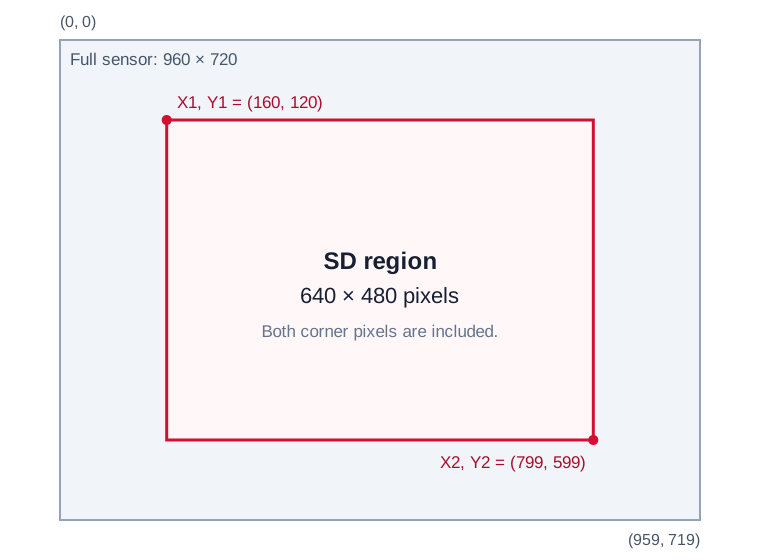
Coordinates refer to the original 960 × 720 sensor. X1, Y1 is the top-left corner and X2, Y2 is the bottom-right corner. Both corners are included:
width  = X2 - X1 + 1
height = Y2 - Y1 + 1
0 <= X1 <= X2 <= 959
0 <= Y1 <= Y2 <= 719
| Selection | Top-left (X1, Y1) |
Bottom-right (X2, Y2) |
Size |
|---|---|---|---|
| SD (640 × 480) | (160, 120) |
(799, 599) |
640 × 480 |
| Full sensor | (0, 0) |
(959, 719) |
960 × 720 |
APS scan area and Crop output area
APS and Crop serve different purposes:
| Setting | What it controls | Position and size |
|---|---|---|
| APS scan area | Where the sensor scans to find events. APS blocking skips bands outside this area. | Groups of 40 pixels along each axis: 40-column bands and 40-row bands. |
| Crop output area | Which part of the scanned event data is transmitted. | 1-pixel steps: specify any valid integer corner coordinates. |
The Sensor region (ROI) control configures both together. It keeps the smallest APS scan area that covers the selected Crop rectangle, rounding the scan boundaries outward to 40-pixel bands. Crop then limits the output to the exact rectangle. A partly used band must still be scanned; Crop discards its pixels outside the selection.
Only events inside the region are transmitted and saved, including in RAW. Full sensor restores scanning and output across the entire sensor.
Maximize the FPS benefit
Match the APS scan area and Crop output area as closely as possible. Crop alone reduces the output data, but does not eliminate scanning in unblocked APS bands. To gain the most FPS from a smaller ROI, also block the unnecessary scan bands.
For an exact match, place X1 and Y1 on multiples of 40, and X2 + 1 and Y2 + 1 on multiples of 40. The SD region (160,120) through (799,599) meets these conditions: both the scan area and the output area are exactly 640 × 480. Arbitrary integer Crop coordinates are still valid, but can leave extra pixels being scanned around the output rectangle.
For example, moving X2 from 799 to 800 adds only one output column, but requires the entire next APS band (800–839) to remain active. A small Crop change can therefore increase scan work by a full 40-column band.
Clock and timing parameters are retained. Reducing the scan area, especially the number of scanned columns, can increase the free-running frame rate. The achieved FPS also depends on timing and event load; ROI selection does not set a new frame-rate target.