Camera Interfaces
Connect external trigger, clock, and output signals using the correct port and cable for your DELTA camera.
DELTA-01 rear ports
Use an SMA cable to connect an external trigger to the right-hand rear port, viewed from behind the camera as shown below.
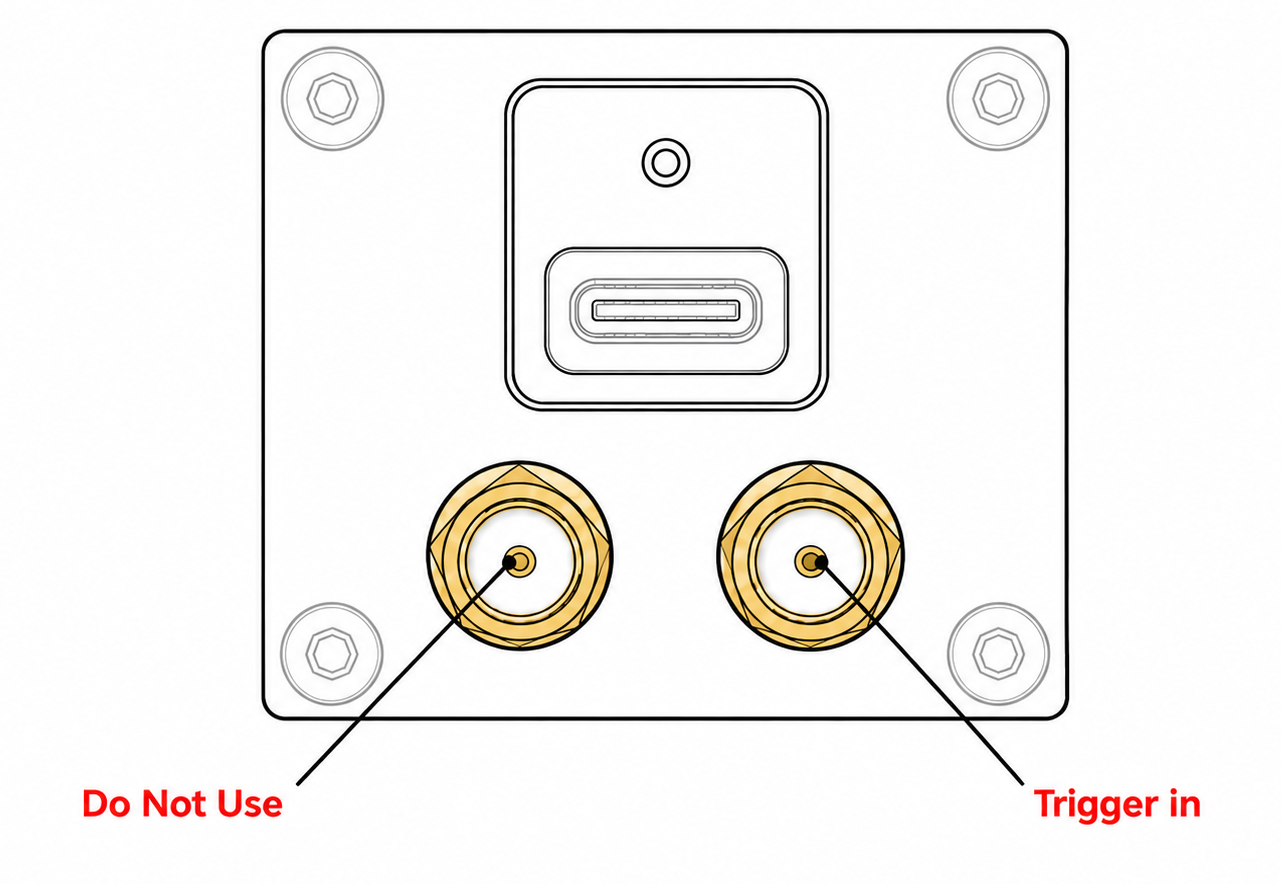
Trigger input signal
Use the following signal-generator settings for the external trigger input.
| Setting | Value |
|---|---|
| Amplitude | 1.8 V peak-to-peak |
| Offset | 0.9 V |
| Frequency | Set to the required trigger rate |
| Duty cycle | 50% |
| Waveform | Square wave |
These settings produce a signal that switches between 0 V and 1.8 V.
DELTA-10 M8 connector
DELTA-10 uses a 6-pin M8 connector. Use a matching cable with the pin assignment shown below. The diagram shows the connector on the camera, viewed from the rear; match the numbered pins rather than assuming the cable-side view is the same.
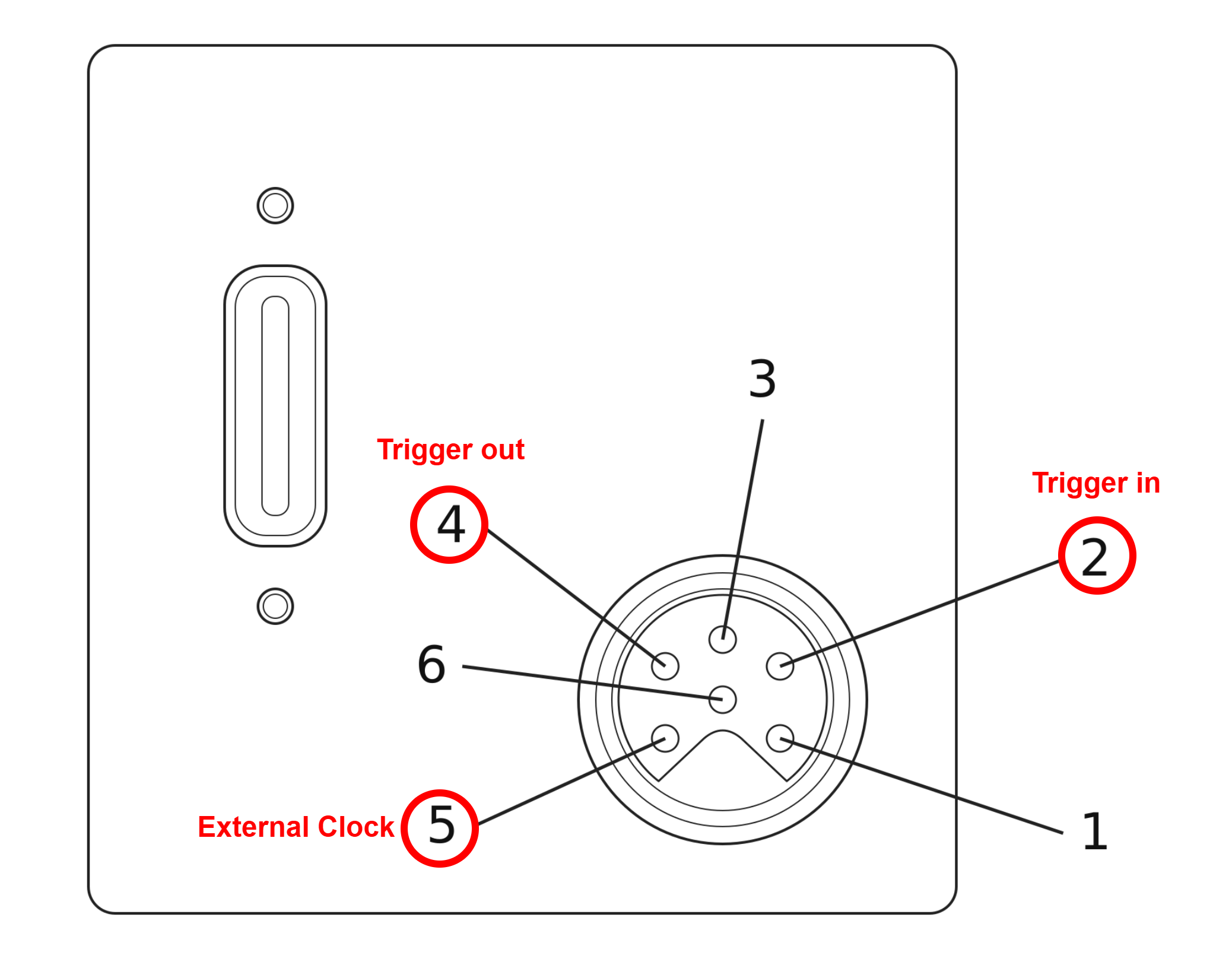
| Pin | Signal | Direction at the camera |
|---|---|---|
| 2 | Trigger In | Input |
| 4 | Trigger Out | Output |
| 5 | External Clock In | Input |
Input and output signals
Trigger In and External Clock In use the following input signal. Set the trigger frequency to the required capture rate; set the external clock frequency to the reference clock expected by the camera configuration.
| Setting | Trigger In / External Clock In |
|---|---|
| Amplitude | 1.8 V peak-to-peak |
| Offset | 0.9 V |
| Frequency | Match the trigger rate or configured reference clock |
| Duty cycle | 50% |
| Waveform | Square wave |
NRV cable wire colors
This genuine NRV cable is for DELTA-10 only. Use the diagram and table below to identify its wires.
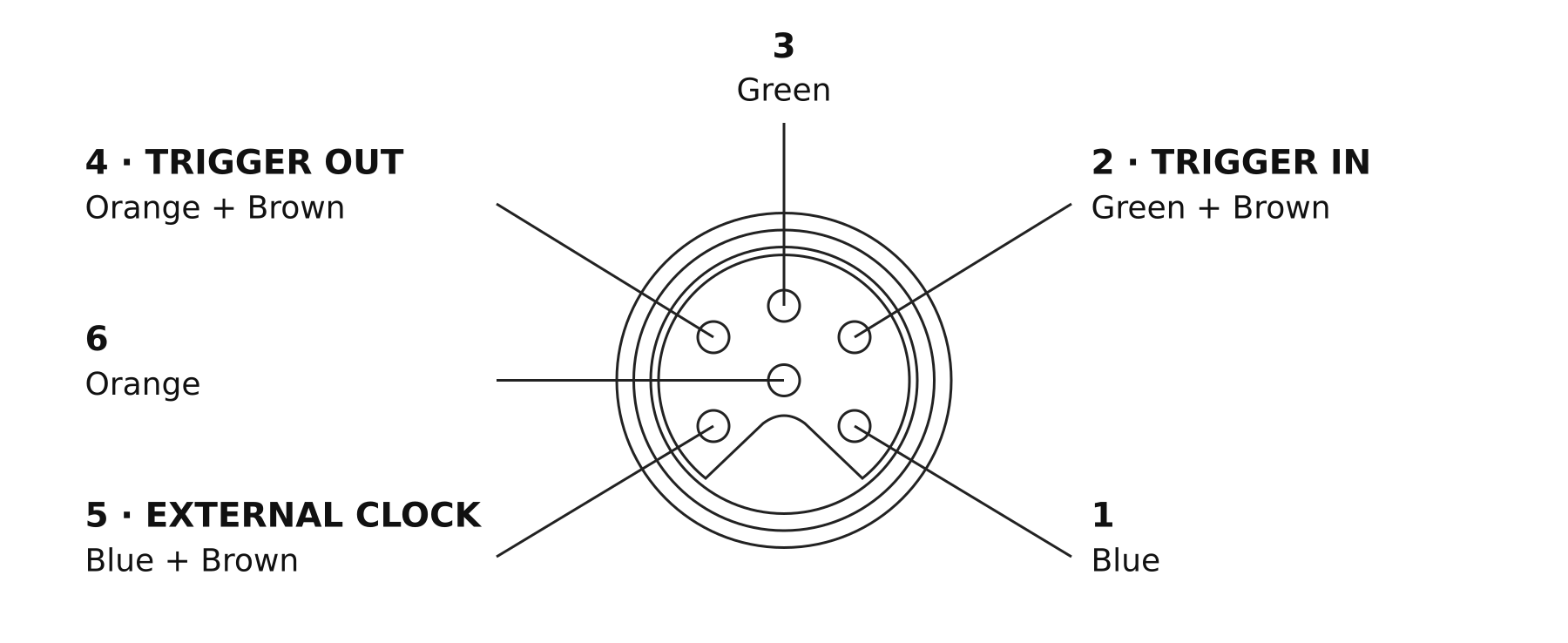
| Pin | NRV cable wire color | Signal |
|---|---|---|
| 1 | Blue | — |
| 2 | Green / brown striped | Trigger In |
| 3 | Green | — |
| 4 | Orange / brown striped | Trigger Out |
| 5 | Blue / brown striped | External Clock In |
| 6 | Orange | — |
The supplied diagrams do not specify signal functions for pins 1, 3, and 6.