3. Use Rectify in Viewer
This chapter explains how to use Rectify in Viewer. Select the camera, load its calibration YAML, confirm that Setup is complete, enable Start Rectify, and then start the Viewer live stream to check the corrected result.
3.1 What you need before Rectify
- A supported NRV DVS Viewer with the Rectify menu
- A connected NRV DVS camera selected as the primary live device
- A calibration YAML made for the same Mono or Stereo topology
The file must use OpenCV FileStorage YAML matrix entries (!!opencv-matrix). Mono calibration requires camera_matrix and dist_coeffs (the _left names are also accepted). Stereo calibration requires the following parameters:
camera_matrix_left,  dist_coeffs_left
camera_matrix_right, dist_coeffs_right
rotation (3x3),      translation (3 values)
3.2 Select the camera, then open Rectify
Select the camera in the Viewer toolbar, then select Rectify. In Setup, use the calibration file created for the same configuration as the selected camera. Use a Mono calibration result for a Mono camera and a Stereo calibration result for a Stereo camera.

3.3 Load the calibration YAML
Before Setup, confirm that live streaming, file playback, and saving are all stopped. If any function is running, stop it before continuing.
Select Setup, then choose the calibration.yaml created for the current camera.
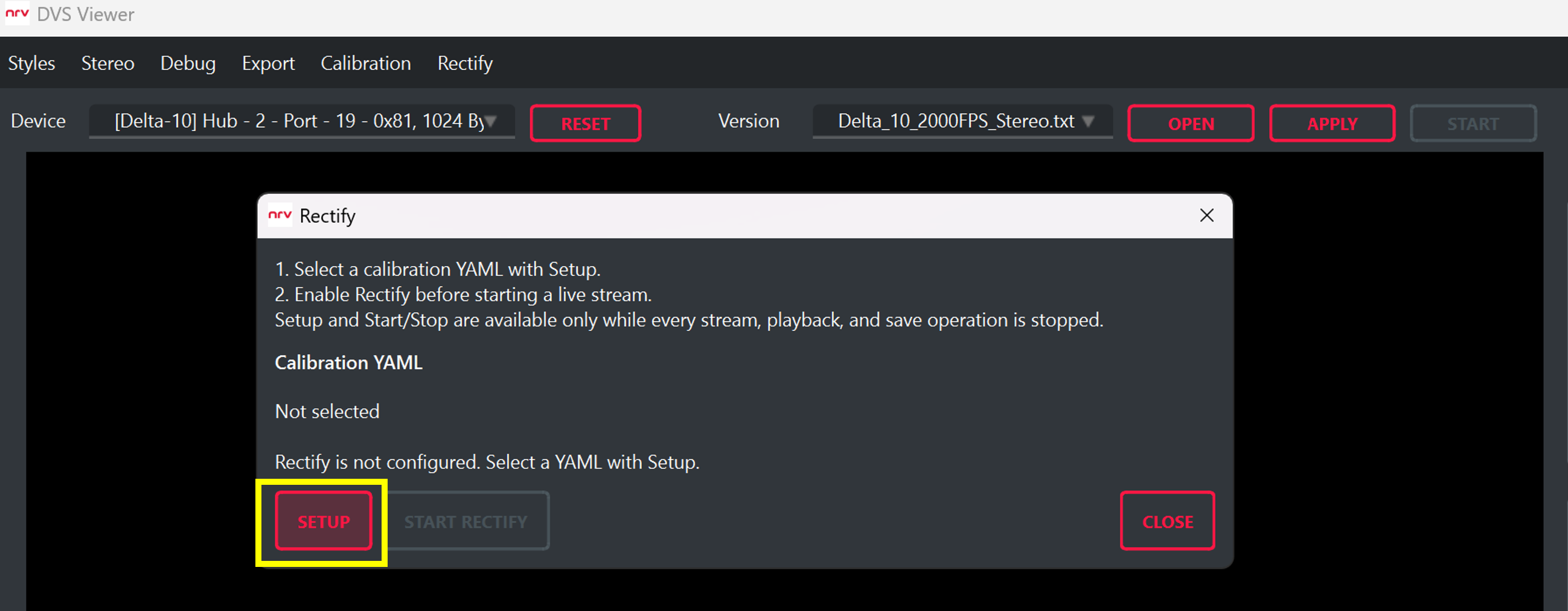
When the file loads successfully, Setup complete appears and the Start Rectify control is enabled.
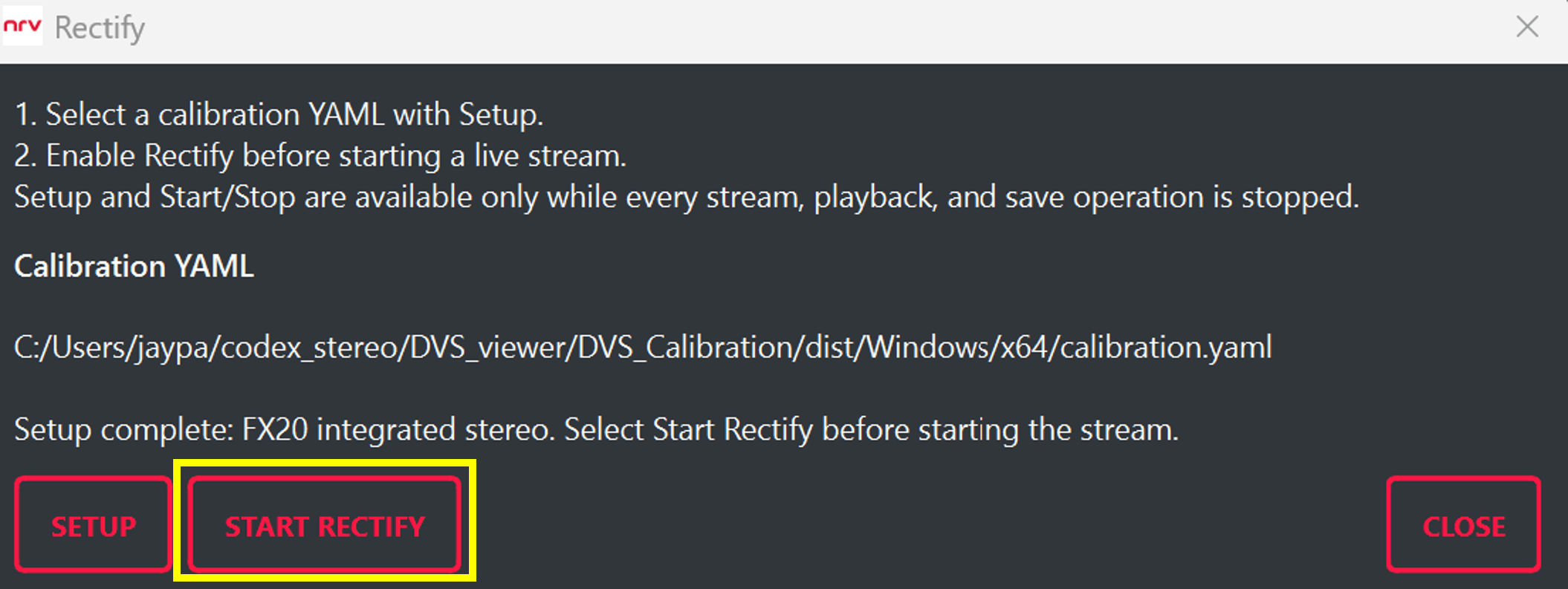
If Setup complete does not appear, do not start the stream. Check again that the selected camera and calibration file match.
3.4 Enable Rectify, then start the live stream
After Setup completes, select Start Rectify. When the control changes to Stop Rectify, Rectify is active.
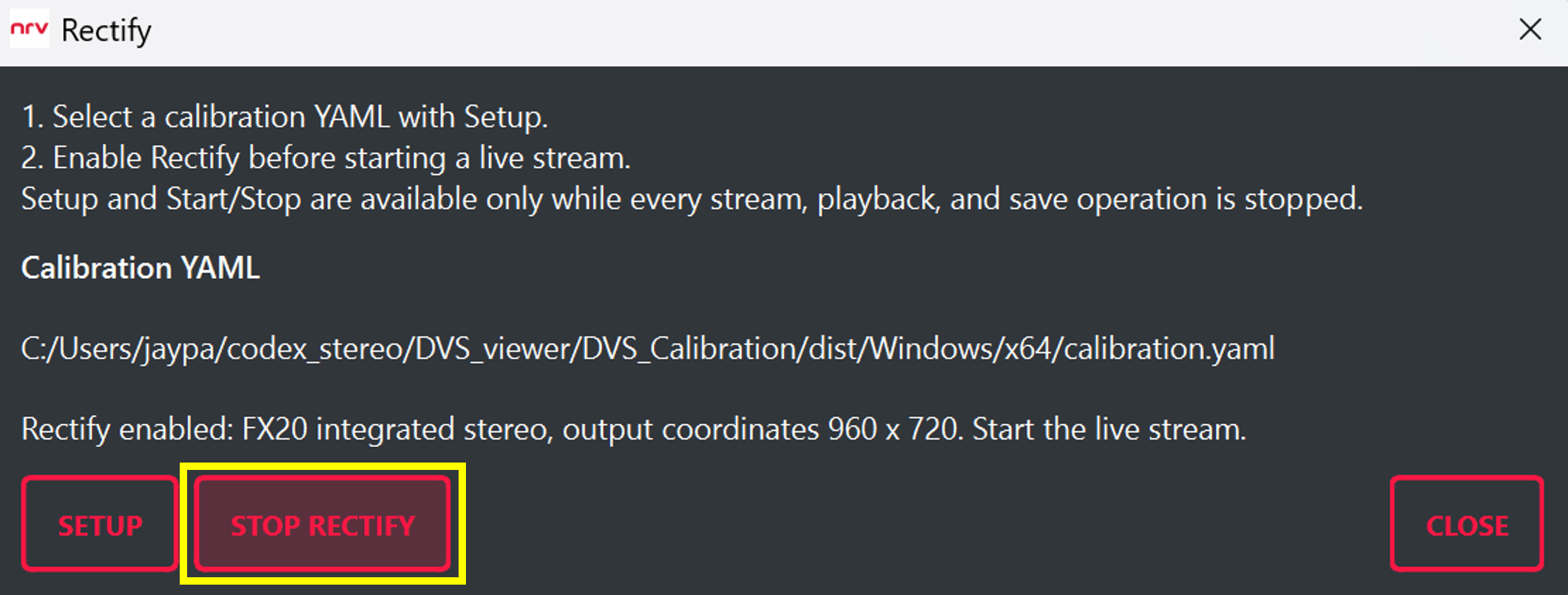
Then use the normal Viewer Apply / Start controls to start the camera stream. Preview and saving use corrected DVS data without another setting.
To stop Rectify, stop the live stream and saving first, then select Stop Rectify.
3.5 Verify the live result
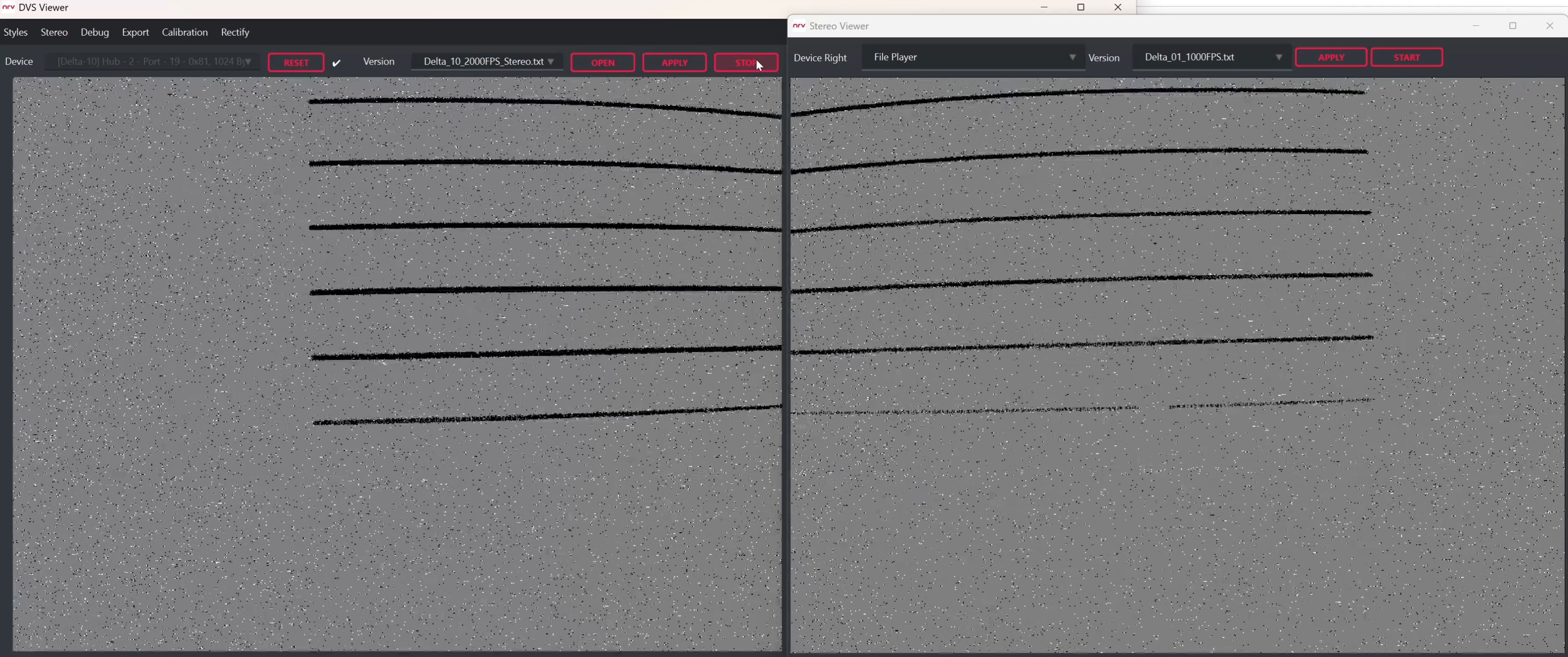
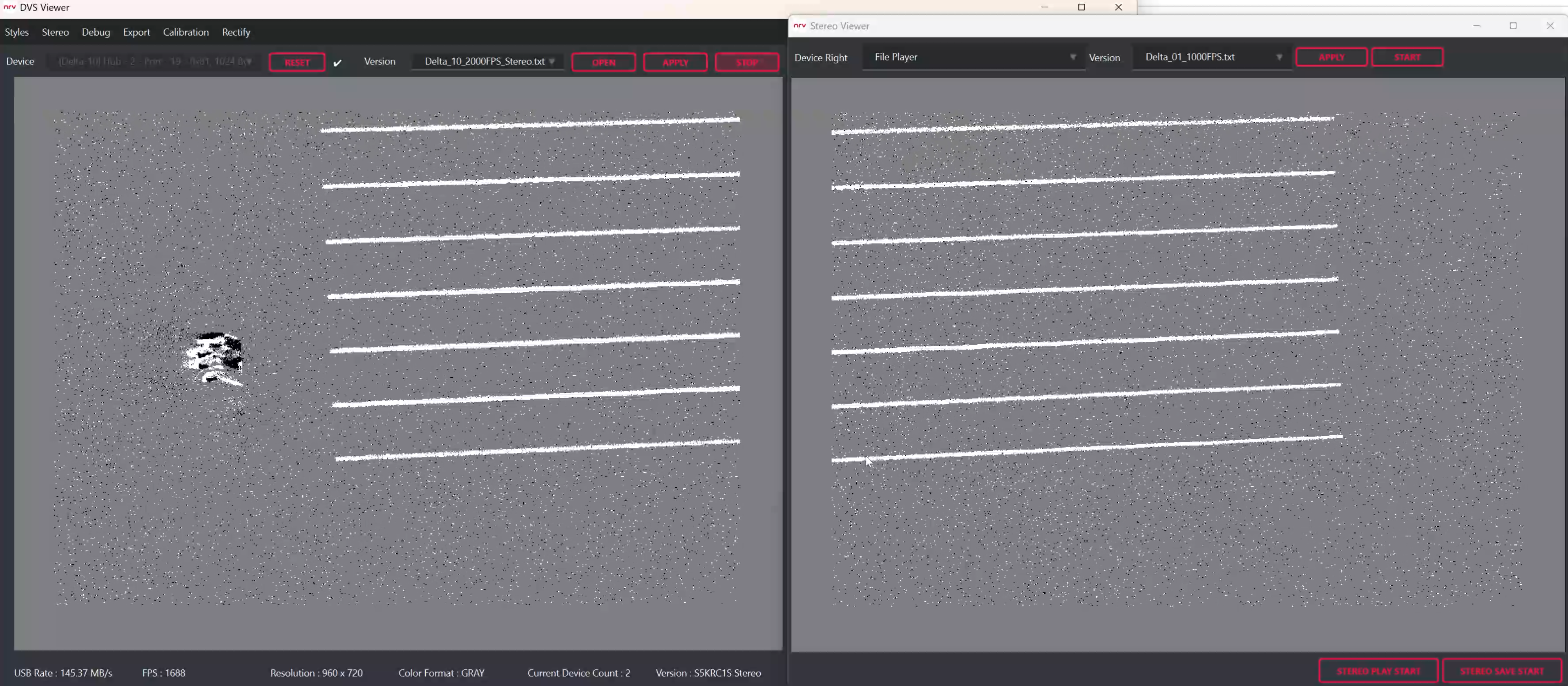
These views use the same event camera and blinking monitor target. Compare Rectify OFF and ON without changing the camera position. The visible lines should become straighter after coordinate correction. For Stereo, the matching structures should also be closer to the same image rows.