1. Why DVS Rectification?
Calibration measures lens distortion and camera placement to produce the values needed for correction. Rectify applies those values to a live DVS stream and corrects event coordinates. This chapter explains why the correction must be applied in real time and what corrected coordinates mean for stereo matching, feature matching, AI, and depth processing.
1.1 Calibration measures; Rectify applies
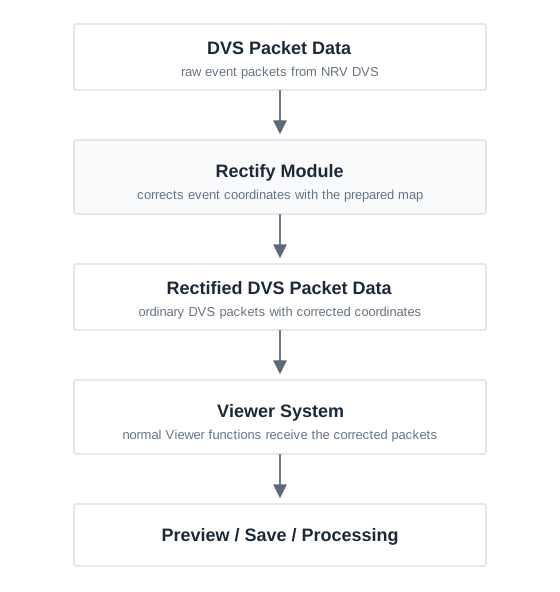
Calibration writes the measured lens and camera geometry to calibration.yaml. The file does not alter incoming events by itself. During Rectify Setup, Viewer prepares the coordinate relationship from that file; during live operation, it applies the prepared relationship to the DVS packet coordinates.
calibration.yaml→Rectify Setup→Live DVS
1.2 Lens distortion changes actual event coordinates
With a real lens, a scene point can be recorded at a sensor coordinate that differs from the position predicted by an ideal pinhole camera. The difference can grow near the image edge, so a physically straight line can appear curved in an event view.
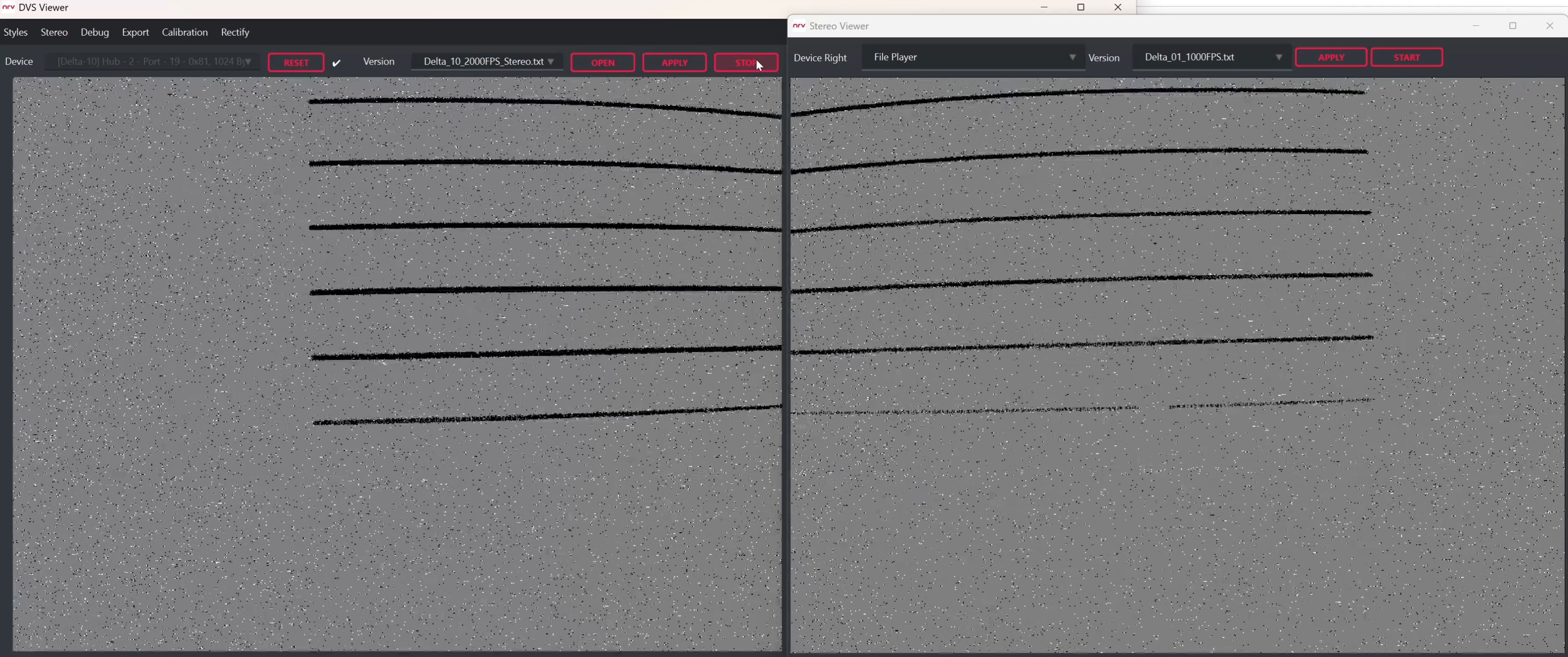
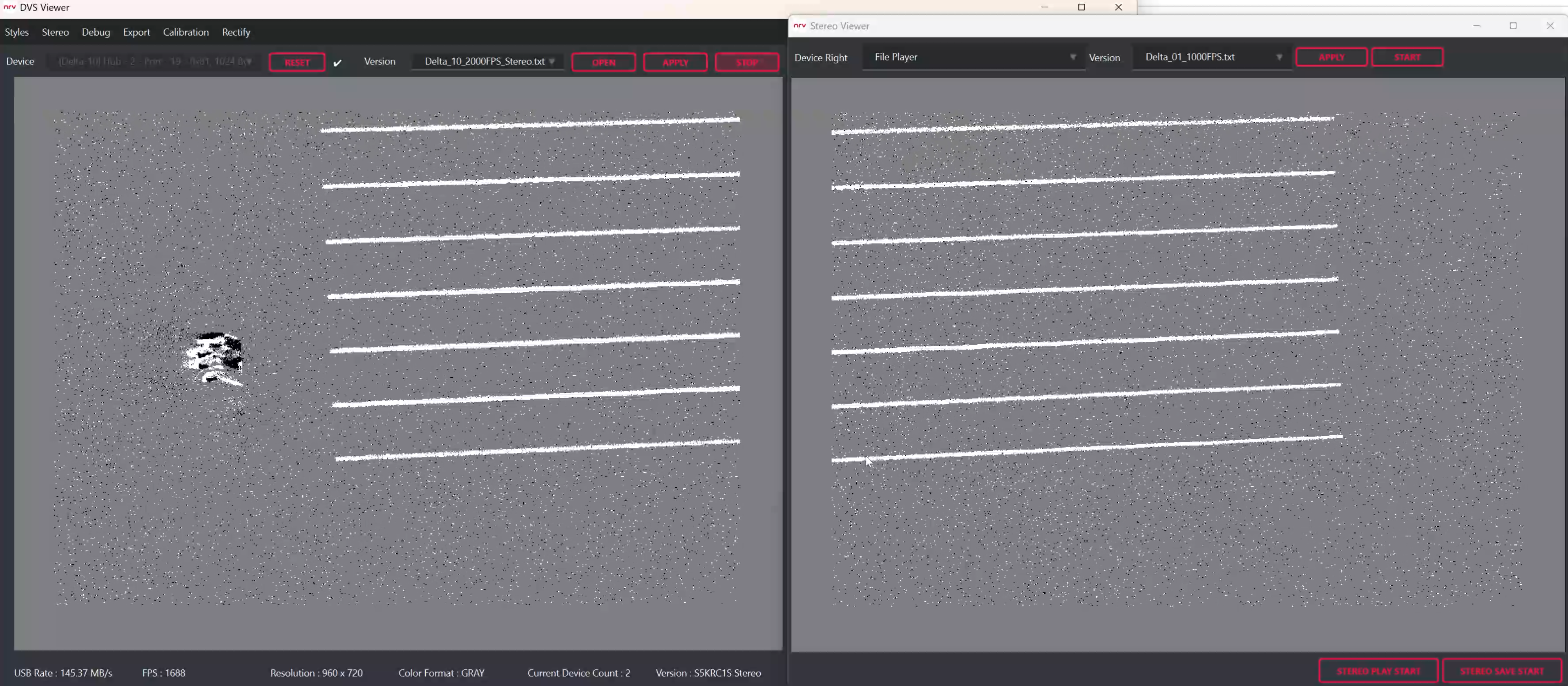
Undistortion corrects lens distortion in one camera (Mono) using the lens model measured by calibration. Rectify applies the paired stereo correction so corresponding left and right observations lie on the same image row as closely as possible. NRV DVS does not create a new brightness image; it changes the corrected coordinate at which each event is used.
1.3 Why rectification must happen in real time
Saved DVS data can be rectified later for inspection. However, that does not change live data already used by Preview, stereo matching, or AI inference.
When a real-time function must use corrected coordinates, Rectify must be applied before that function receives the data.
1.3.1 Stereo matching searches a simpler correspondence
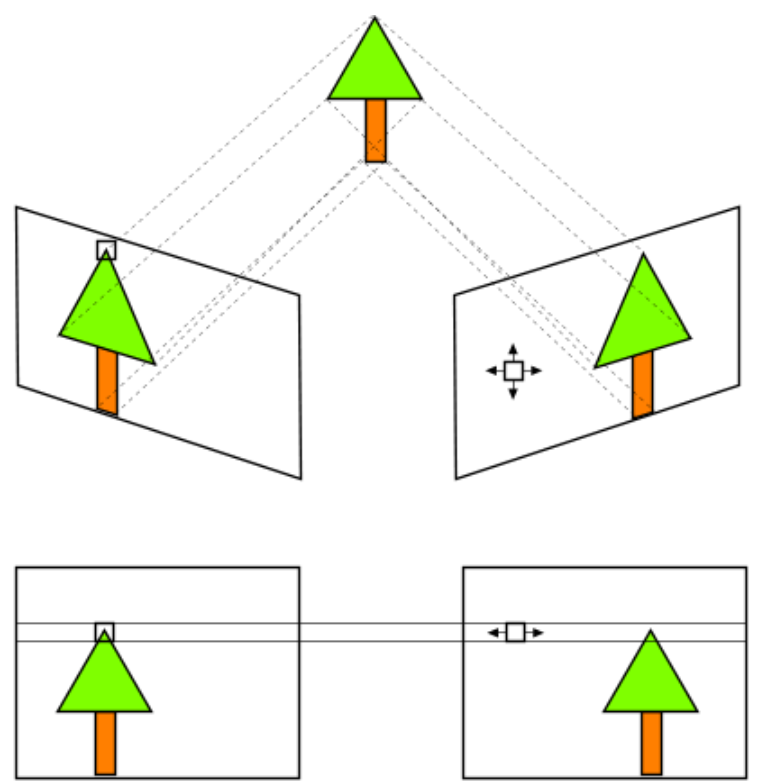
Before rectification, the corresponding observation can move in both horizontal and vertical directions. After Stereo rectification, corresponding observations are placed on the same image row as closely as possible, so later matching primarily searches horizontally. For the example in the plan, a ±4 pixel vertical range means nine row candidates; row alignment reduces that vertical choice to one.
1.3.2 Feature matching benefits from stable coordinates
Lens distortion changes the position and local shape of the same physical feature by a different amount across the sensor. Correcting coordinates first gives the matching stage the camera geometry measured during calibration rather than a changing bend near every image edge.
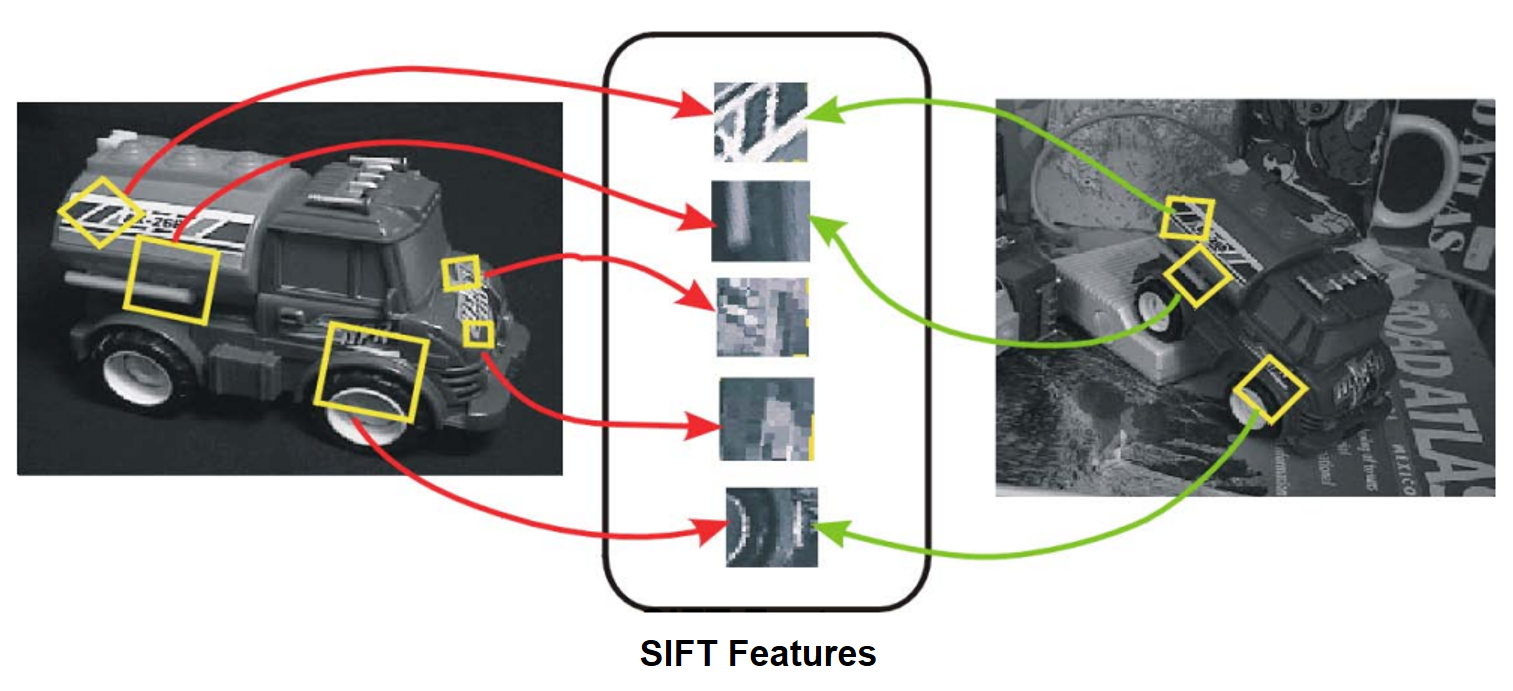
A published study reported that correcting radial distortion increased repeat detection of the same features from 20% to 36% and the correct-match rate from 40% to 74%.
Source: sRD-SIFT: Keypoint Detection and Matching in Images With Radial Distortion.
1.3.3 Models trained with rectified images need rectified input
Many stereo and depth-estimation models are trained with data in which lens distortion has been removed or the left and right images have been rectified. They expect the coordinate relationship observed during training to remain true for live input.
If a model trained with rectified images receives images with lens distortion still present, the same object appears at a different location and shape from the training data. In a stereo model, corresponding points that should lie on the same row can also be displaced. This can reduce depth-estimation performance.
NRV DVS Rectify corrects live DVS events to match the coordinate conditions expected by AI and depth models trained with calibrated and rectified imagery.
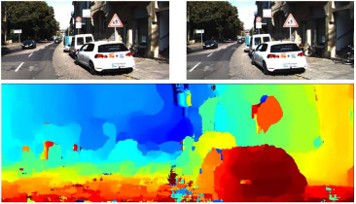
These coordinate differences can affect practical depth estimation. In Depth Any Camera, a model evaluated with distorted fisheye input instead of the rectified perspective condition saw Depth RMSE increase from 2.12 to 3.57.
Source: Depth Any Camera: Zero-Shot Metric Depth Estimation from Any Camera.
1.3.4 Calibration geometry is also an operating condition in vehicle systems
In practical vehicle camera systems, calibration is not only a manufacturing measurement. Perception and distance-related functions depend on using the camera geometry that matches the mounted system. If camera placement changes or that condition is not valid, systems can limit features or require calibration again.
Calibration values are therefore not merely stored settings: they affect coordinate relationships used during operation. The figure below illustrates that many real-time camera systems, including automotive systems, must apply calibration values to operating data. It does not imply that automotive systems use the same Rectify implementation as NRV DVS.
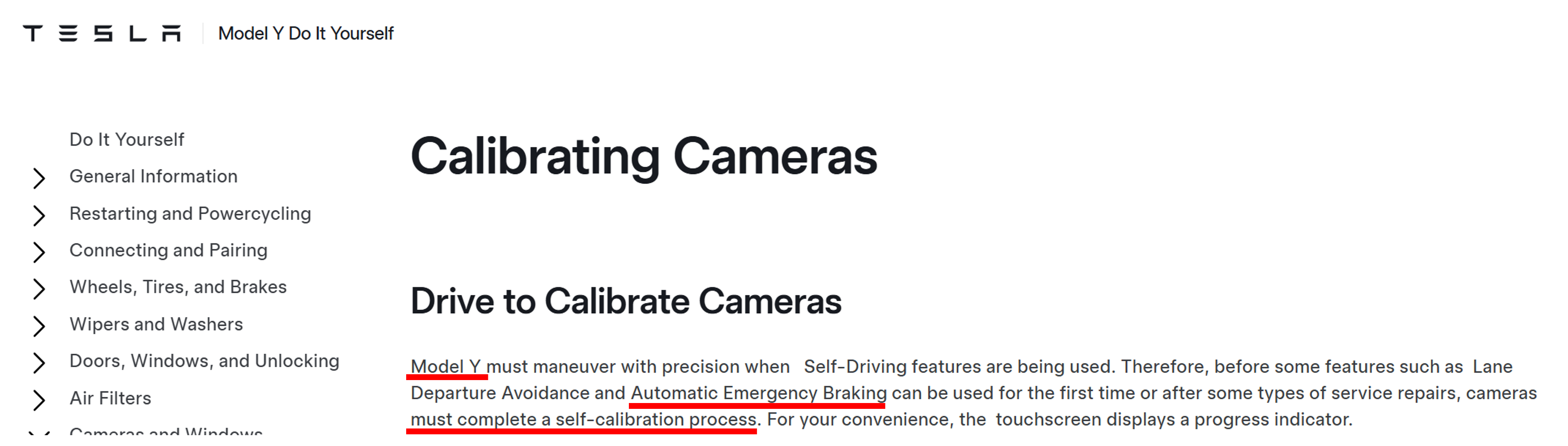
Source: Tesla Model Y DIY — Calibrating Cameras.
NRV DVS also provides Rectify so that calibration results can be applied to the live stream in real time. This allows the Viewer preview and save path, as well as later stereo matching and AI processing, to use corrected event data directly.
1.4 Rectify is applied to DVS packets before Viewer processing
Raw packets from an NRV DVS do not go directly to Preview or saving. They first pass through the Rectify module.
Rectify uses the coordinate map prepared during Setup to correct each event coordinate inside the packet. It then hands the data back to Viewer as ordinary DVS packets. Preview, saving, and processing can therefore use corrected data without requiring a separate image format or a second Viewer mode.