Event Output
Choose which event polarities the sensor sends. Select one mode at a time.
Choose an output mode
Stop acquisition and recording, then open Sensor Settings → Event output in DVS Viewer and choose a mode. Start acquisition again to use it.
Sensor settings · Event output
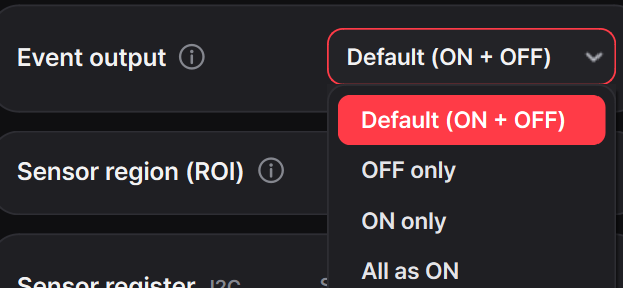
| Mode | Sensor output |
|---|---|
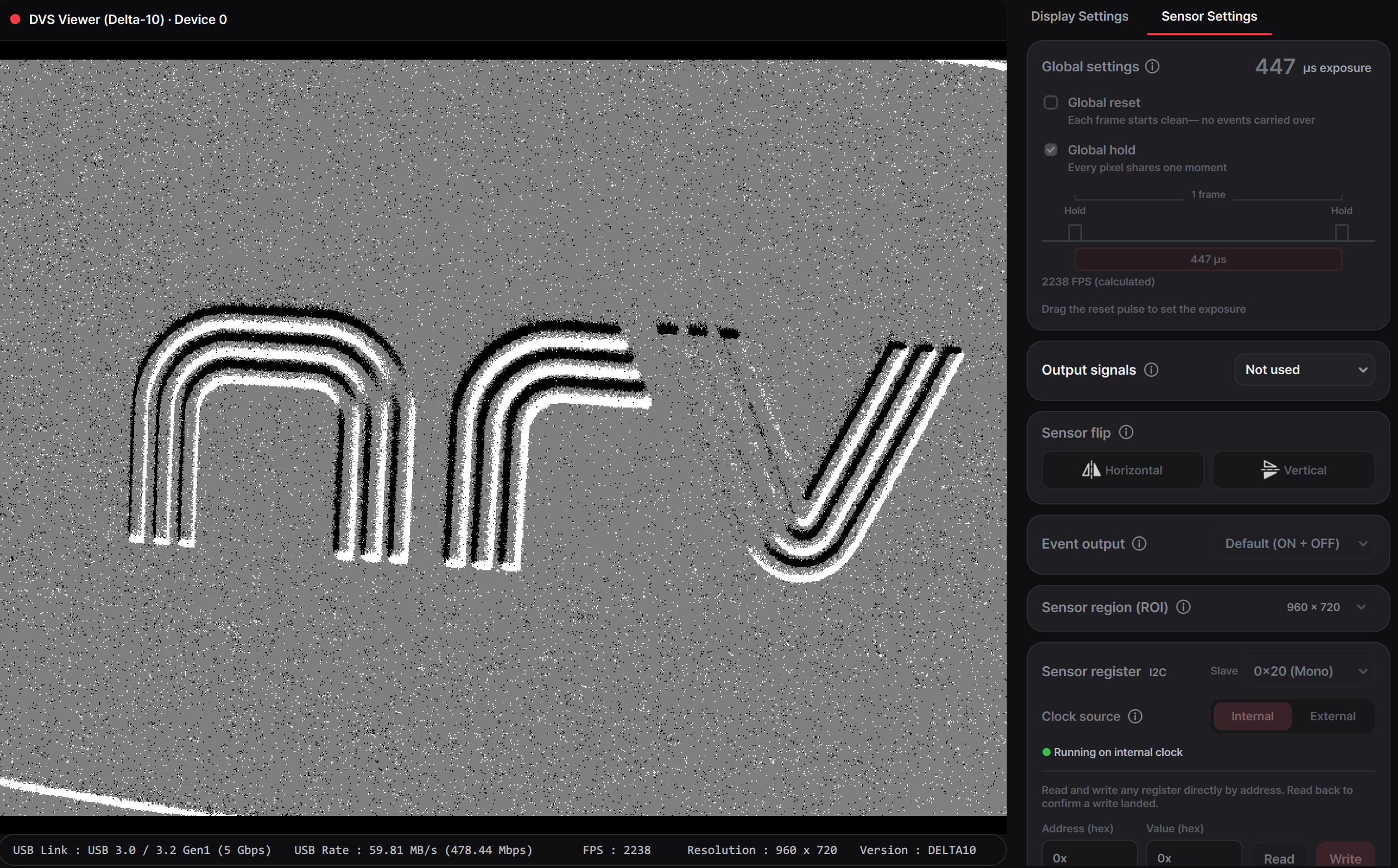
| Default (ON + OFF) | Sends both ON and OFF events with their original polarity. |
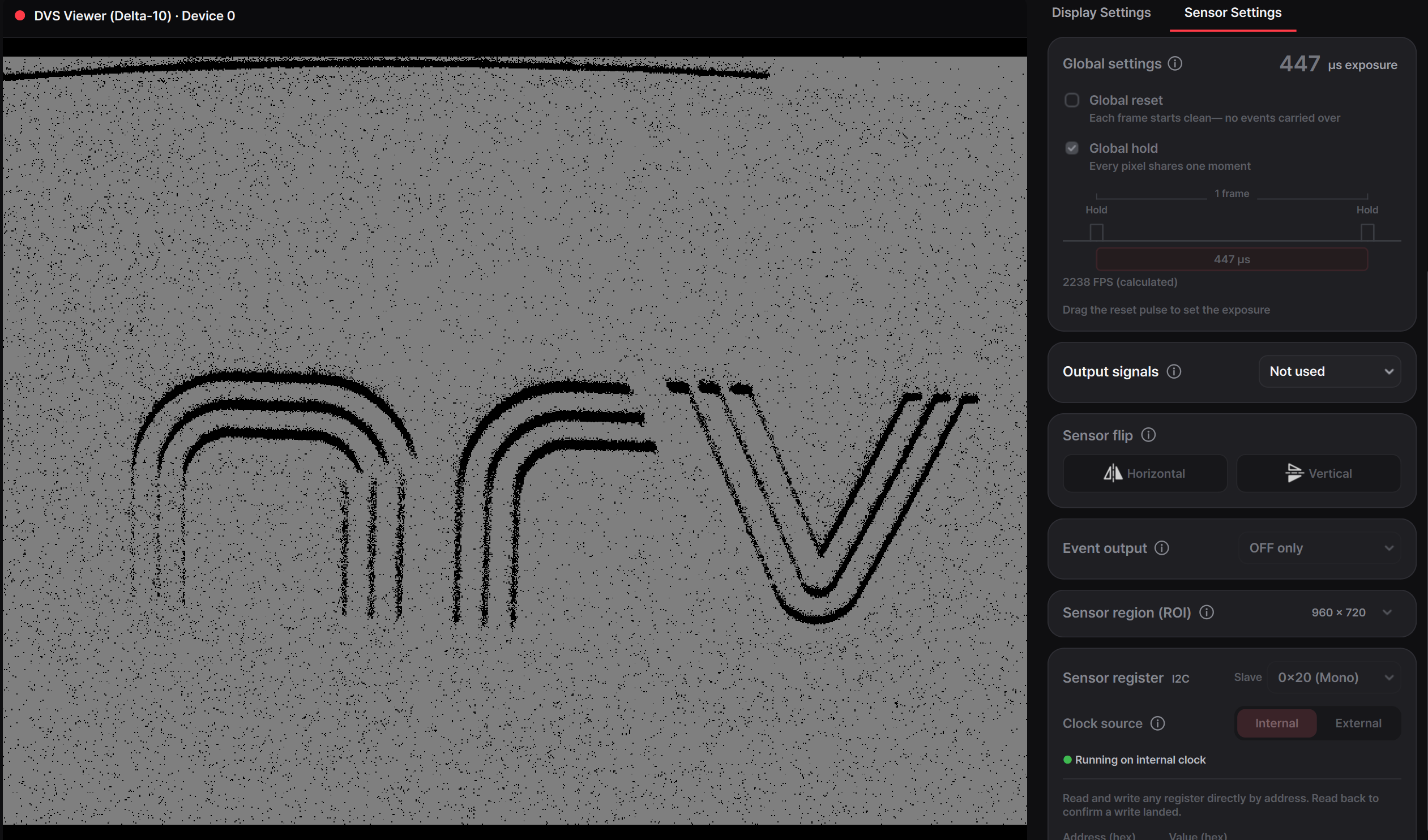
| OFF only | Sends OFF events; ON events are not sent. |
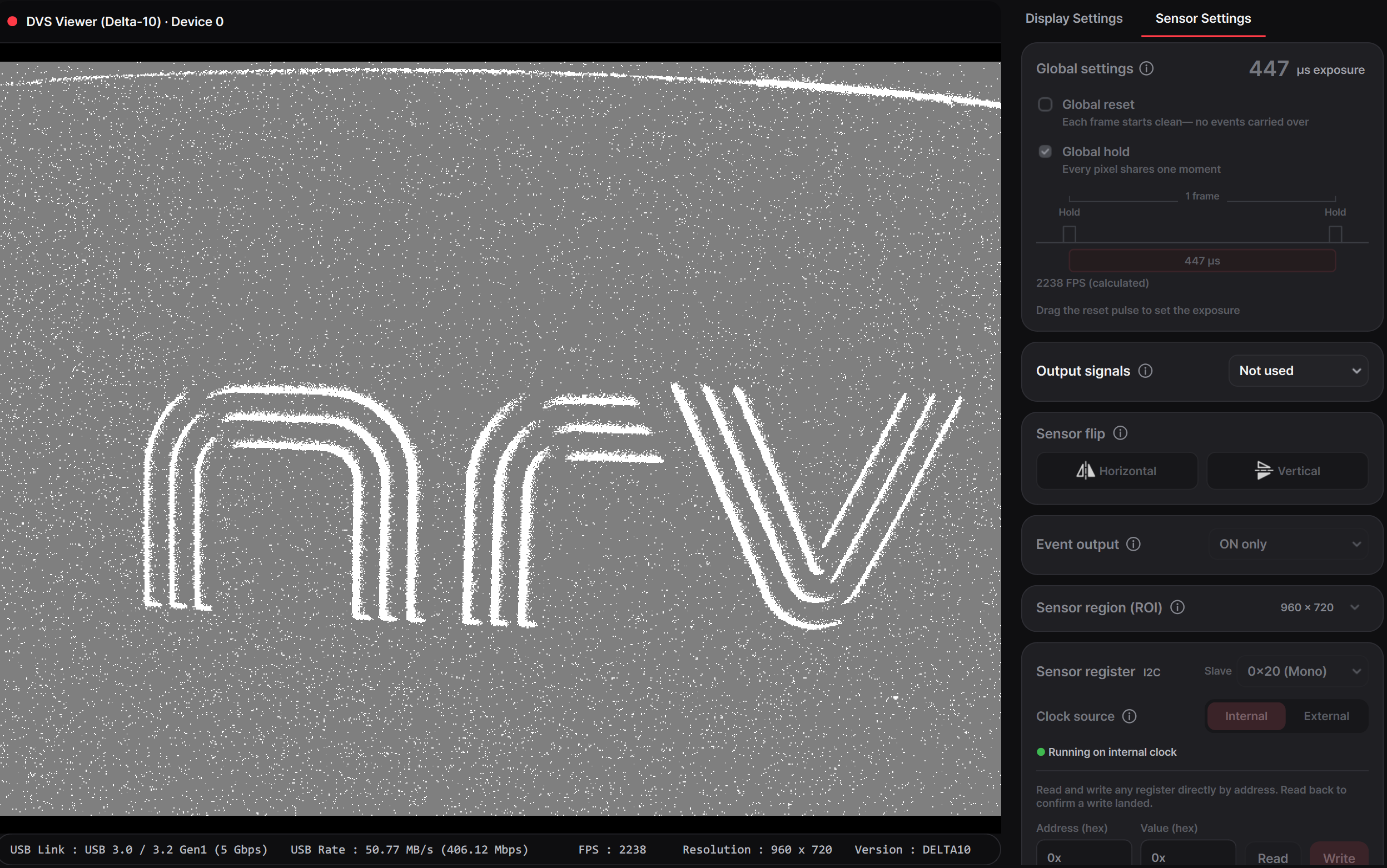
| ON only | Sends ON events; OFF events are not sent. |
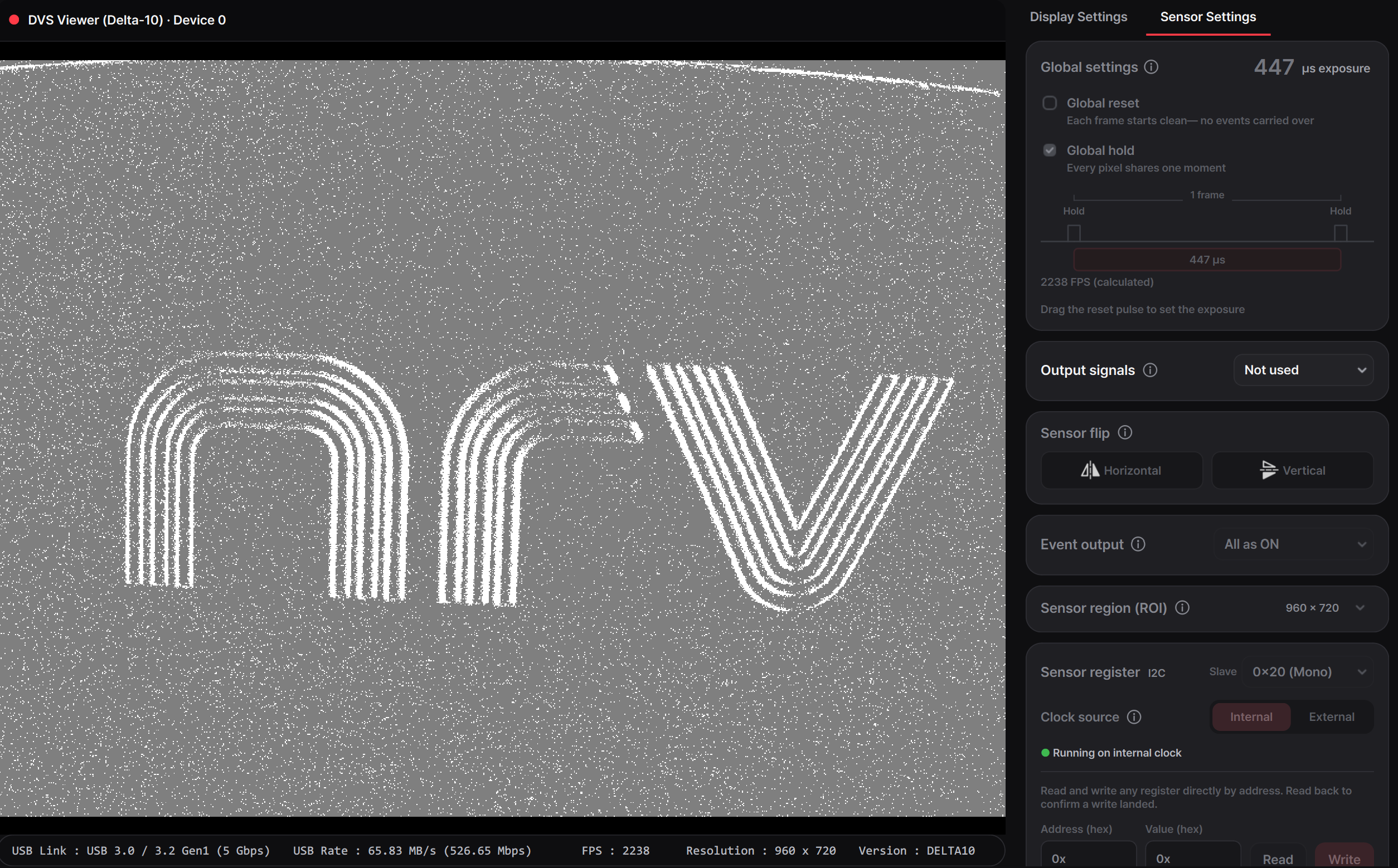
| All as ON | Sends both event types, but converts OFF events to ON. |
These choices affect the transmitted event data, so they apply to the display and all saved data, including RAW. All as ON is not the same as ON only: it keeps OFF events, but changes their reported polarity. Events filtered out by ON only or OFF only cannot be recovered from that recording.
Compare the four modes
The examples use the same grayscale palette: ON events appear white, OFF events black, and no event gray.