Output Signals
Supported on DELTA-10. Send one selected sensor timing signal as short 0–1.8 V pulses through M8 pin 4, Trigger Out.
See Camera Interfaces for the connector and cable wiring.
Select an output signal
- In DVS Viewer, open Sensor Settings with a DELTA-10 mono setting applied. Stop recording before changing the output.
- Under Output signals, choose one of the four signals below.
- Adjust Pulse width and click Apply. The Viewer displays the corresponding pulse duration when the reference clock frequency is known.
- Start acquisition. For Global hold or Global reset output, the matching operation must also be enabled under Global settings.
Sensor Settings · Output signals
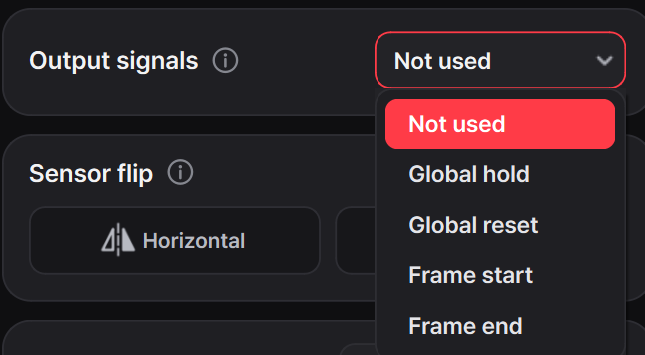
| Signal | Pulse timing | Requirement |
|---|---|---|
| Global hold | At each Global Hold timing | Global hold enabled |
| Global reset | At each Global Reset timing | Global reset enabled |
| Frame start | When sensor readout starts | Acquisition running |
| Frame end | When sensor readout ends | Acquisition running |
The output rests at 0 V between positive pulses. Trigger input and output signals can be used together.