USB Driver Installation Manual
This technical article provides you an overview of how to install USB drivers.
Table of Contents
Document History
| Date | Version | Author | Description of Revisions |
|---|---|---|---|
| April 27, 2025 | 1.0 | Soosung Kim | USB Driver Installation |
Introduction
The USB driver enables high-speed data transfer between a Cypress CX3 USB controller and a host PC via USB 3.0 connection. The CX3 controller provides SuperSpeed USB 3.0 connectivity with data rates up to 2.4 Gbps, making it ideal for high-bandwidth imaging applications. This guide explains how to install and configure the USB drivers on your host PC to enable communication with our CX3-based DVS devices.
Installing Drivers
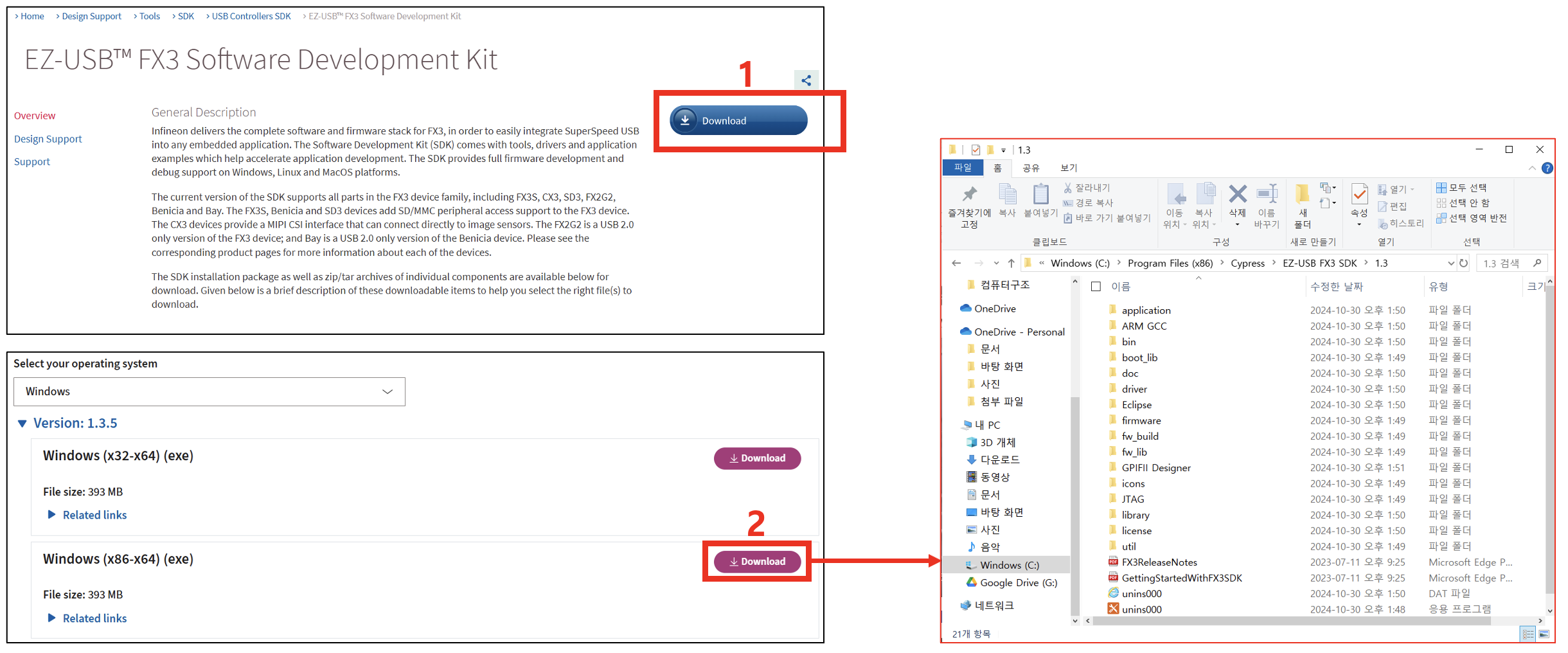
1) Go to this link and download the FX3 SDK: https://www.infineon.com/cms/en/design-support/tools/sdk/usb-controllers-sdk/ez-usb-fx3-software-development-kit/
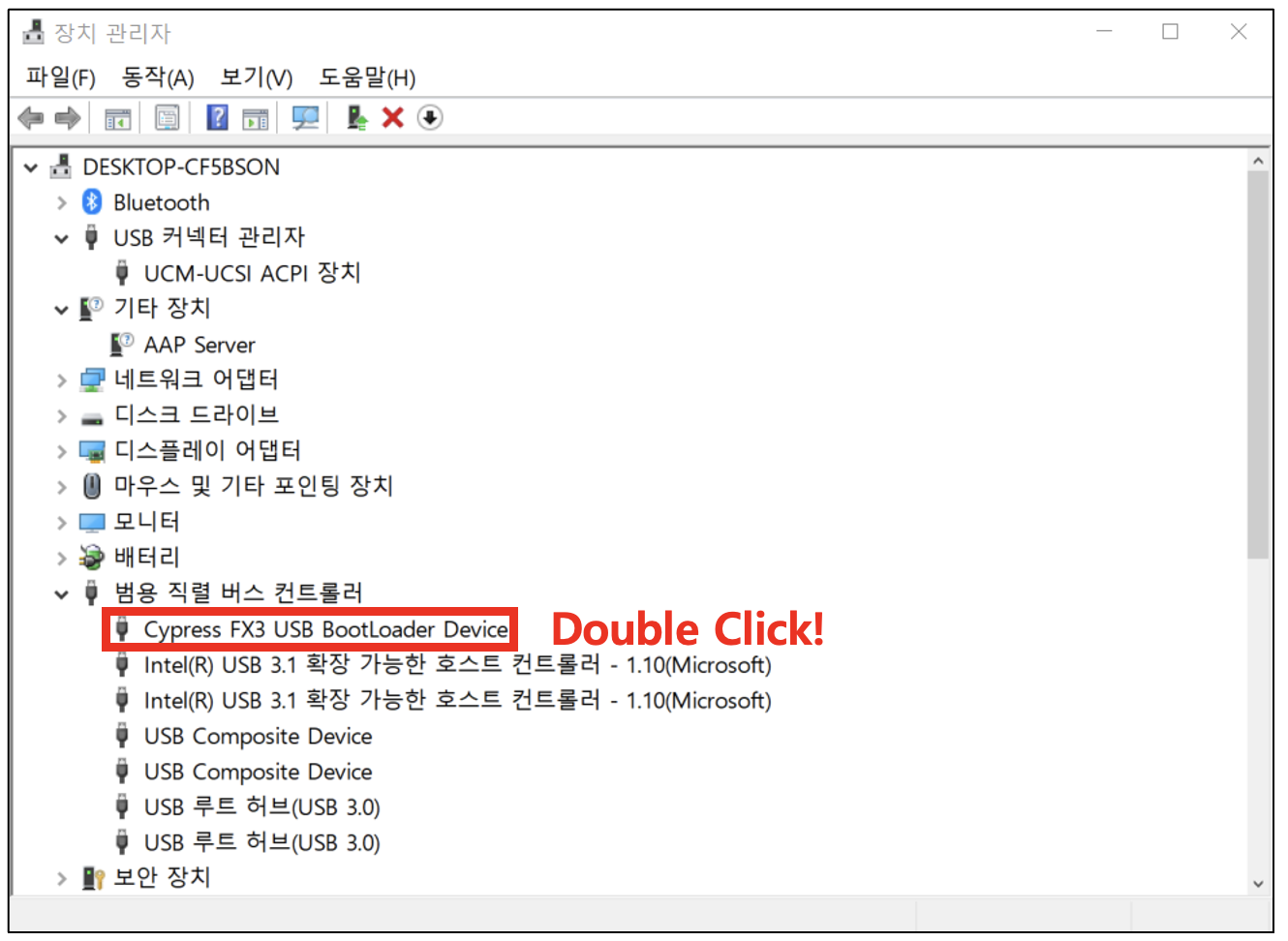
2) Connect the USB camera and find FX3 Device
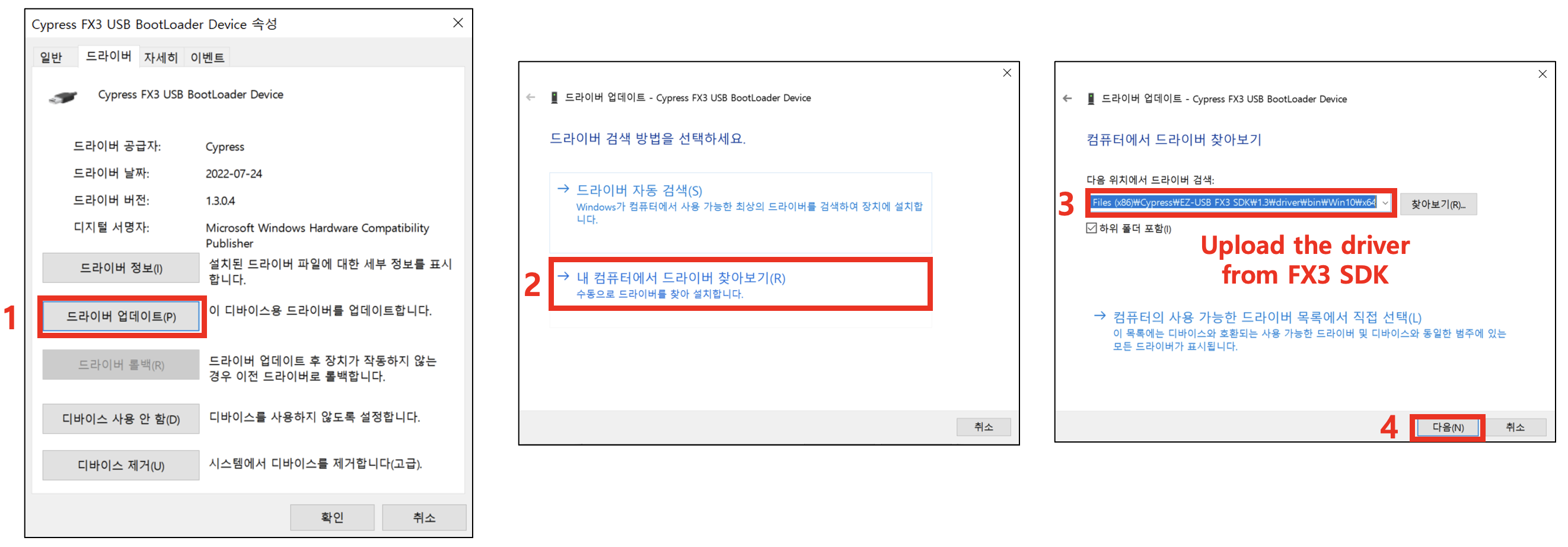
3) Update the driver manually