Device Operation
This section covers the operational procedures for loading firmware images onto the DVS device and displaying the DVS stream.
Table of Contents
Document History
| Date | Version | Author | Description of Revisions |
|---|---|---|---|
| May 27, 2025 | 1.0 | Soosung Kim | Device Operation |
Introduction
This section covers the essential operations for USB DVS devices: firmware loading and stream configuration. The CX3 USB controller must be programmed with the appropriate firmware image before it can stream DVS data to the host PC.
Loading image onto the device
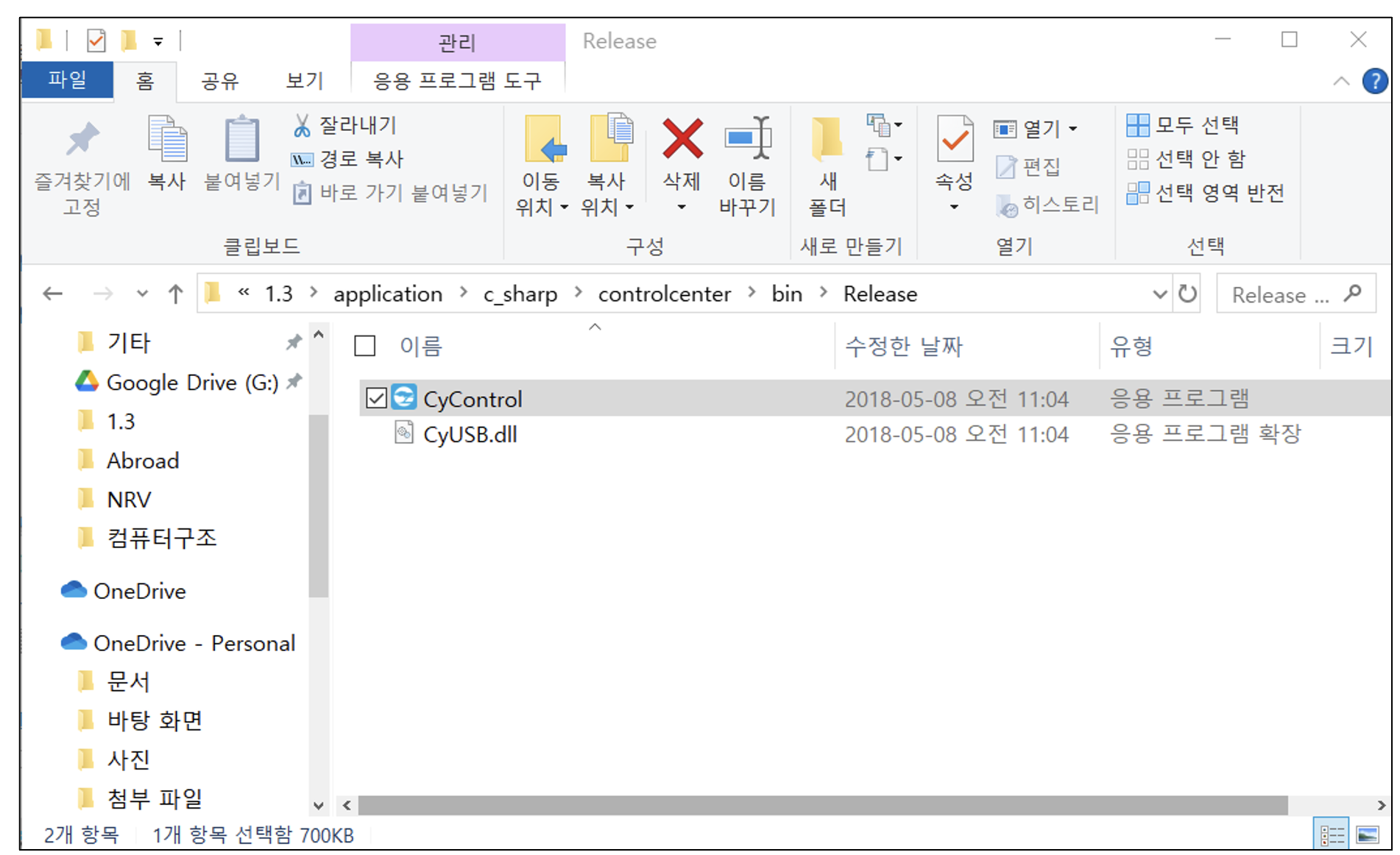
1) Open CyControl
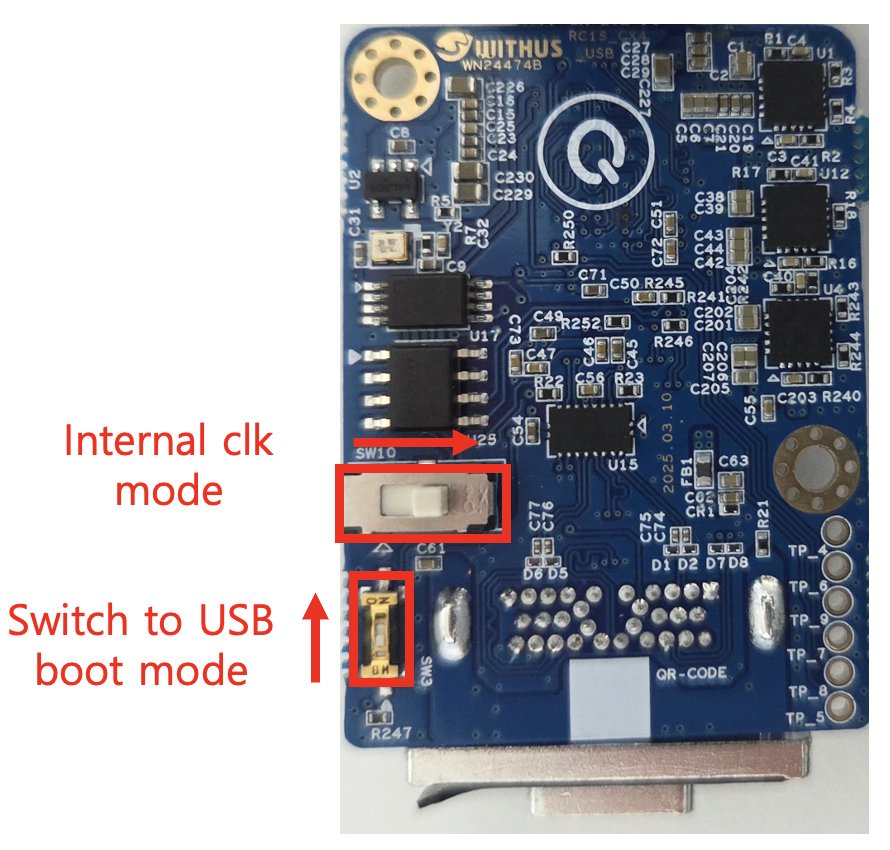
2) Use internal clock mode and switch to usb boot mode
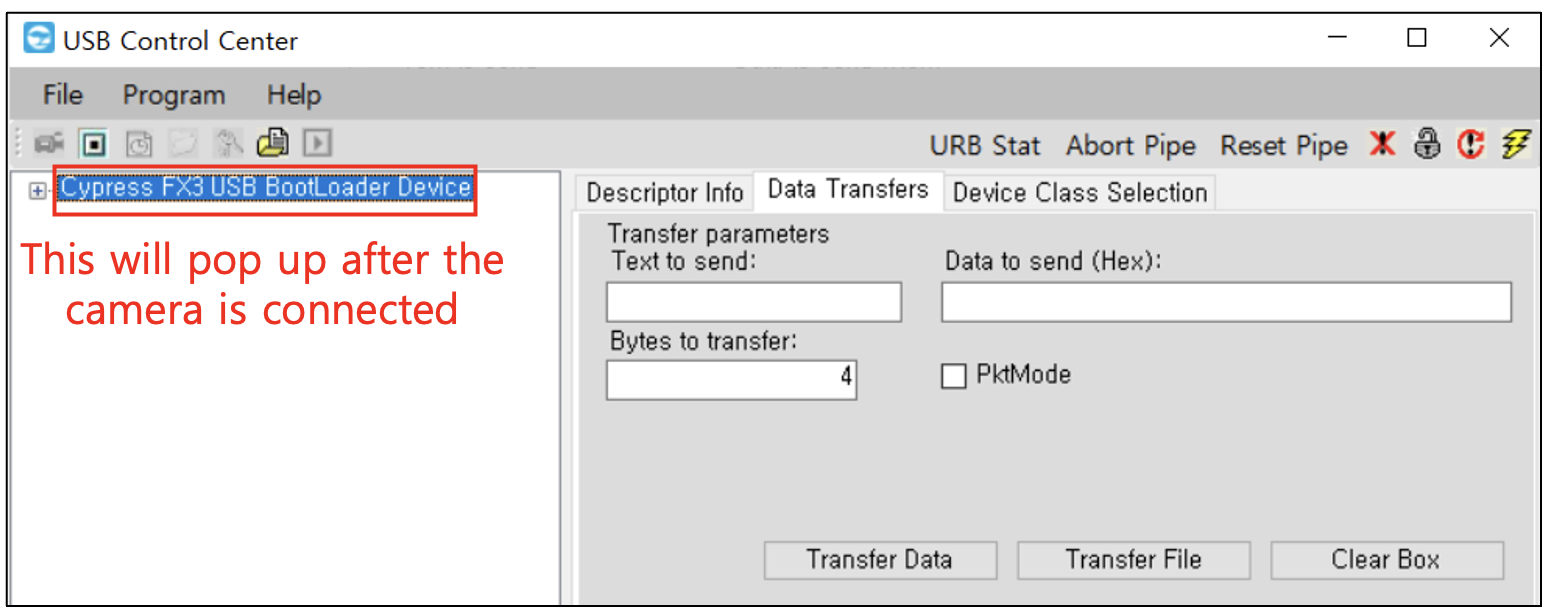
3) Connect the camera
4) Select Program>FX3>I2C EEPROM
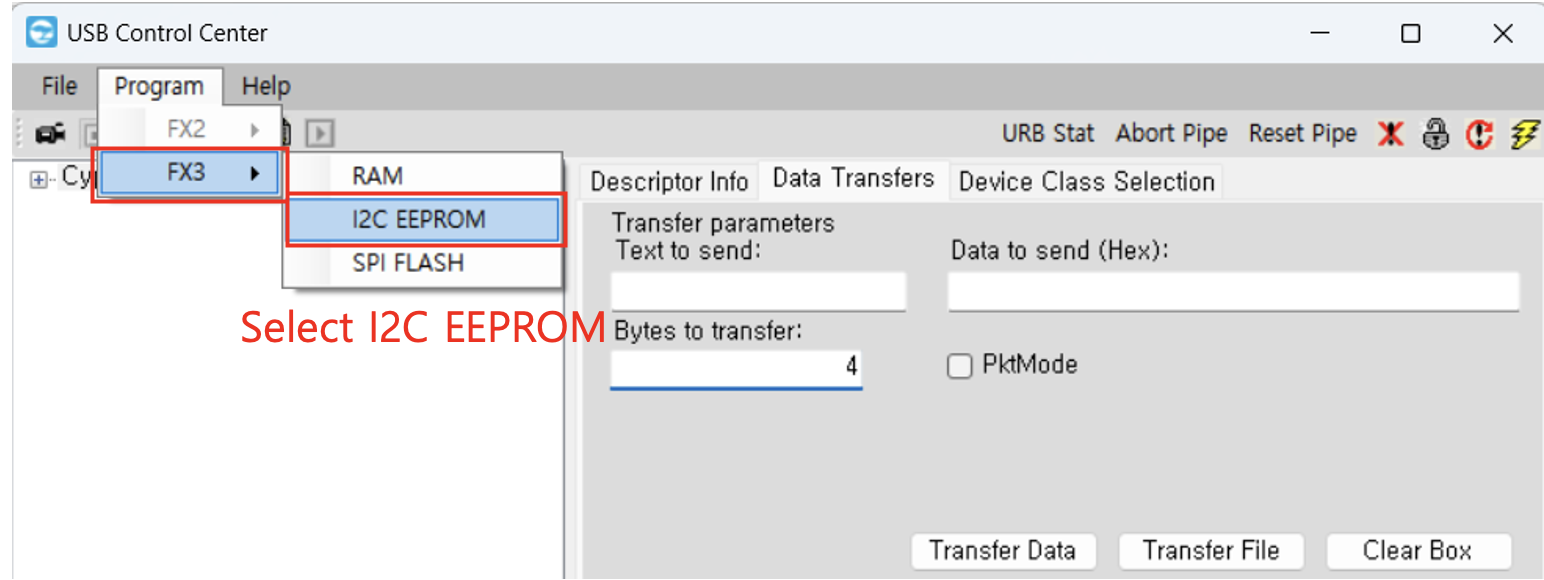
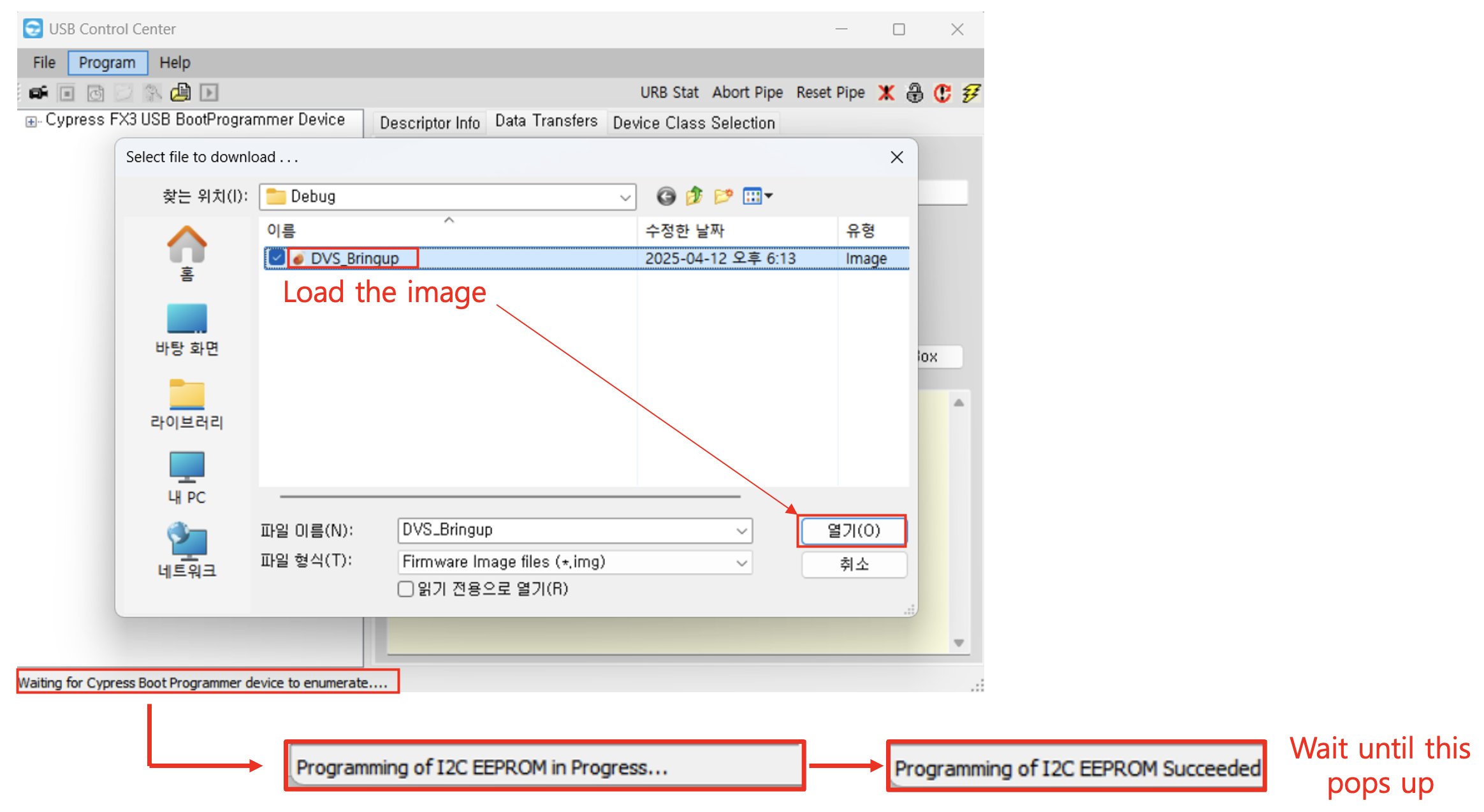
5) Load the image (Wait until "Programming of I2C EEPROM Succeeded" pops up)
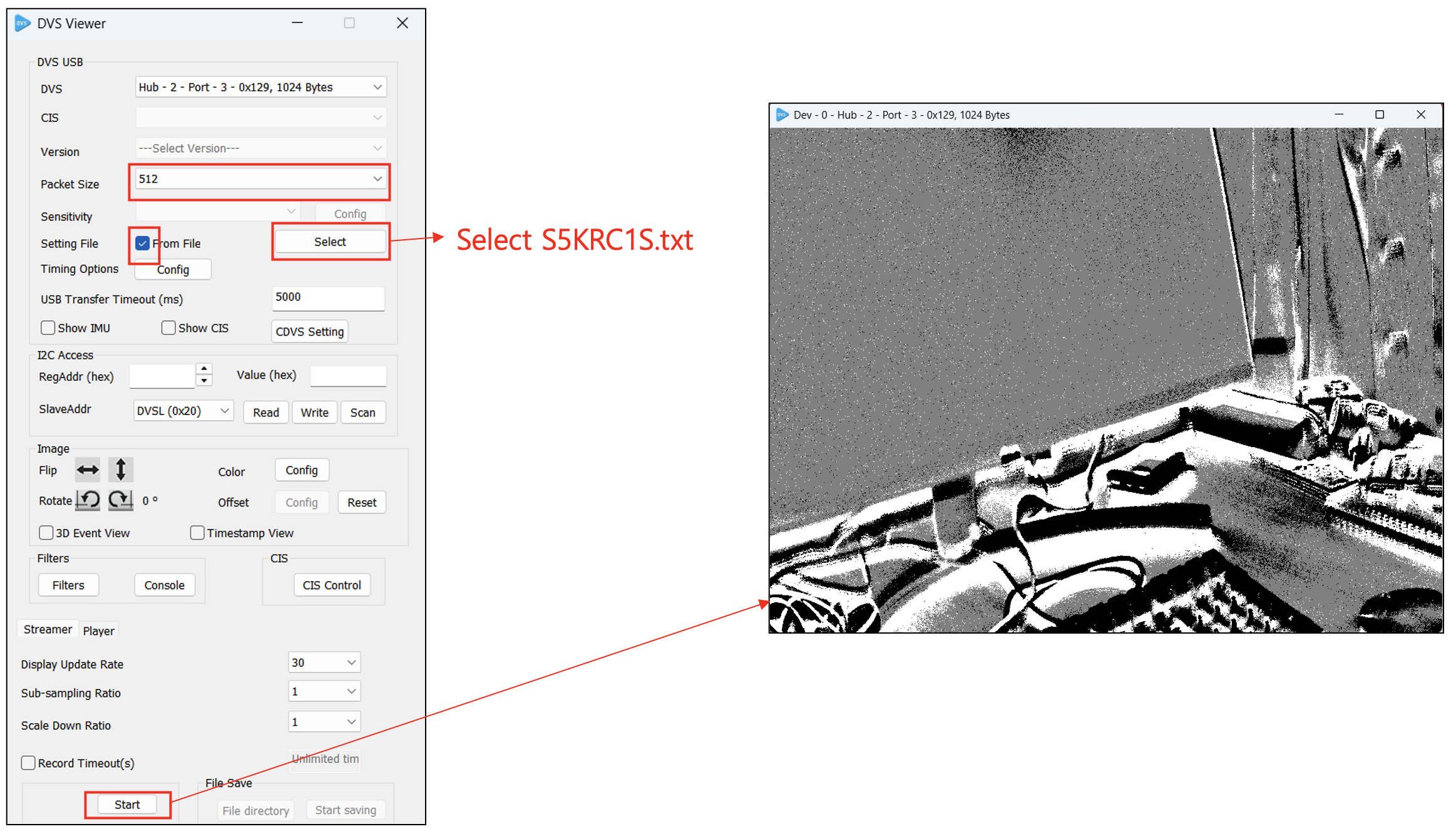
Displaying DVS Stream
1) Unplug the USB cable
2) Switch to EEPROM boot mode
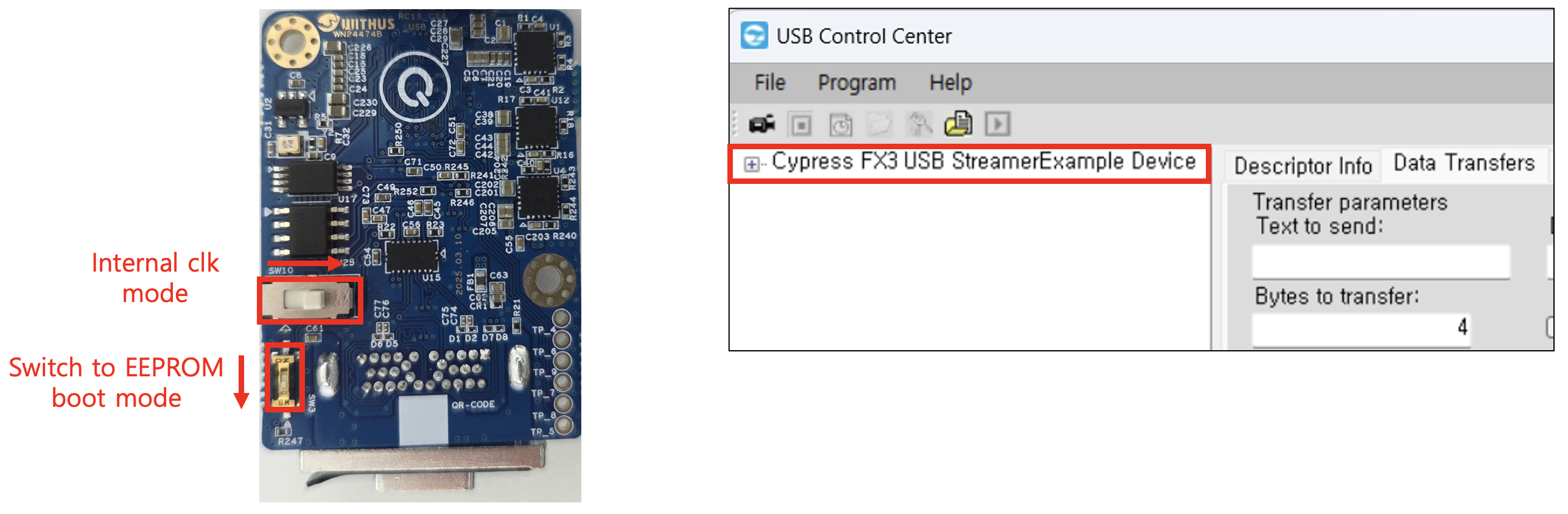
3) Plug the USB cable back in
4) Open the DVS Viewer